
Make Game Day & Movie Night Better With a Projector
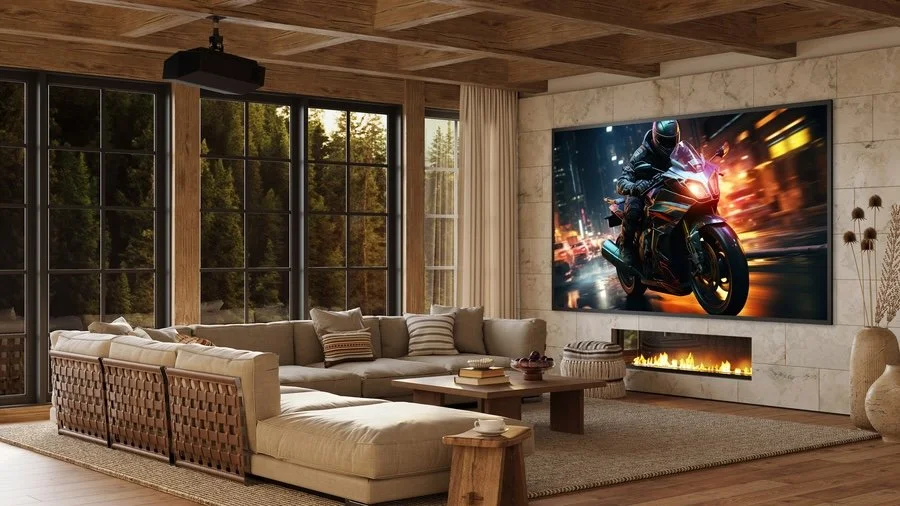
How Screen Size and Room Lighting Reshape Home Entertainment
A 100-inch TV is possible, but it usually costs far more per inch than a projector, and most dedicated media rooms can use a bigger picture than that. A home theater projector can fill a 120-inch or larger screen, which puts your whole field of view to work. The screen and the room's lighting need to be planned with it, as do the speakers.
If your media room still relies on a single TV to deliver sports and movie action, a projector may be the upgrade that your home entertainment needs. Keep reading to learn how ELITE Control & Design designs projector setups that look sharp on a bright Sunday afternoon and just as good on a Friday night.
MORE FOR YOUR HOME: Redefine the Smart Home Experience with Hidden Technology
A Projector Gives You the Scale of a Cinema
The biggest reason to choose a projector is how it makes the room feel. A projected image is as large as the screen it lands on, and common home theater screens run from 100 to 150 inches diagonally. At that size, the picture fills your field of view, so faces carry more emotion and wide landscapes feel like places you could escape into.
A projector also changes how the space looks once the movie ends. A motorized screen can retract into the ceiling, so the wall goes back to being a wall, which helps in a room that doubles as a den or playroom.
Choose the Projector Before the Screen
Placement matters as much as the model. A standard projector mounts on the ceiling at the back of the room, and its lens determines how far it sits from the screen. Ultra-short-throw models sit just in front of the screen wall, which suits shallower rooms or those that cannot take a ceiling mount.
Look for native 4K resolution, which shows the full detail of 4K streaming and Blu-ray, along with HDR support for richer contrast. Modern laser projectors also remove a routine chore. Older lamp models needed a new bulb every few thousand hours, while a laser light source can run for tens of thousands of hours.
Match the ALR Screen to Your Projector
A projector paints light onto a screen, so any light already in the room washes out the picture. Rooms with windows or extra light need help, and ambient light-rejecting (ALR) screens are built for that. Their surface reflects the projector's light back toward the seats and rejects light arriving from other angles, such as overhead fixtures and sunlit windows.
ALR screens come in different types, and the type has to match the projector:
A standard projector throws light straight at the screen and needs a standard ALR surface.
An ultra-short-throw projector sits just below the screen and throws light upward at a steep angle, so it needs an ultra-short-throw ALR surface.
Shades and Lighting Set the Scene
Lutron covers the rest of the room. Motorized blackout shades close at the press of a button, and Lutron RadioRA 3 or HomeWorks lighting control dims the room to a preset ambiance. A single "Game Day" or "Movie Night" scene can close the shades and dim the lights as the screen lowers. You press one button on a keypad, and the room readies itself.
A noon kickoff with sun in the windows is a tougher test than a late movie, which is where the ALR screen and shades earn their place.
Give the Big Picture Sound to Match
A picture that large deserves sound designed for it. A center speaker just below the screen (or behind it with an acoustically-transparent screen) keeps dialogue tied to the action, and surround speakers bring a stadium crowd or a movie score right into your media room.
Plan Your Media Room Around the Projector
If you're ready to give your media room a larger, high-performance picture, ELITE Control & Design is ready to help. Book a design consultation today, and let’s start planning.